My fund Manager is migrating to GXE. How do I confirm my Investment Entity details?
Last updated: October 30, 2026
Overview
If your fund manager is migrating its Fund Administration platform to GXE, you will be required to create an account with GXE and confirm your Investment Entity details (if we already don't have it on file).
You will not be able to view your holdings until you create your account with GXE and confirm your Investor Entity details.
Step 1: Create a GXE account
Please follow instructions here for guidance on how to create a GXE account.
Step 2: Claim your Investment Entity
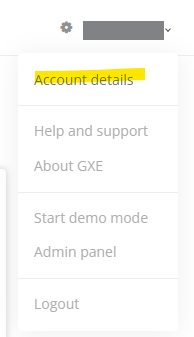
Once you have logged into GXE, click on your name on the top right hand corner and select "Account details".
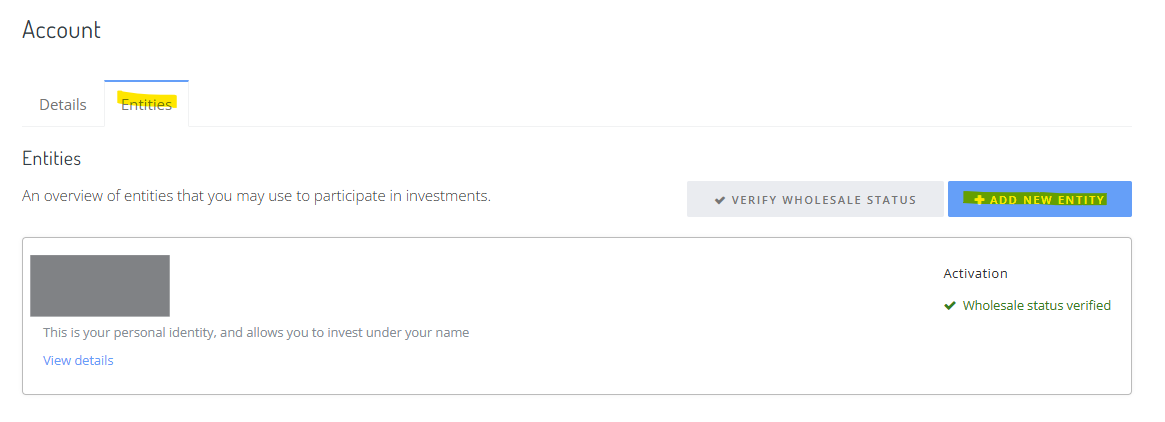
Navigate to Entities and select "+ Add New Entity"
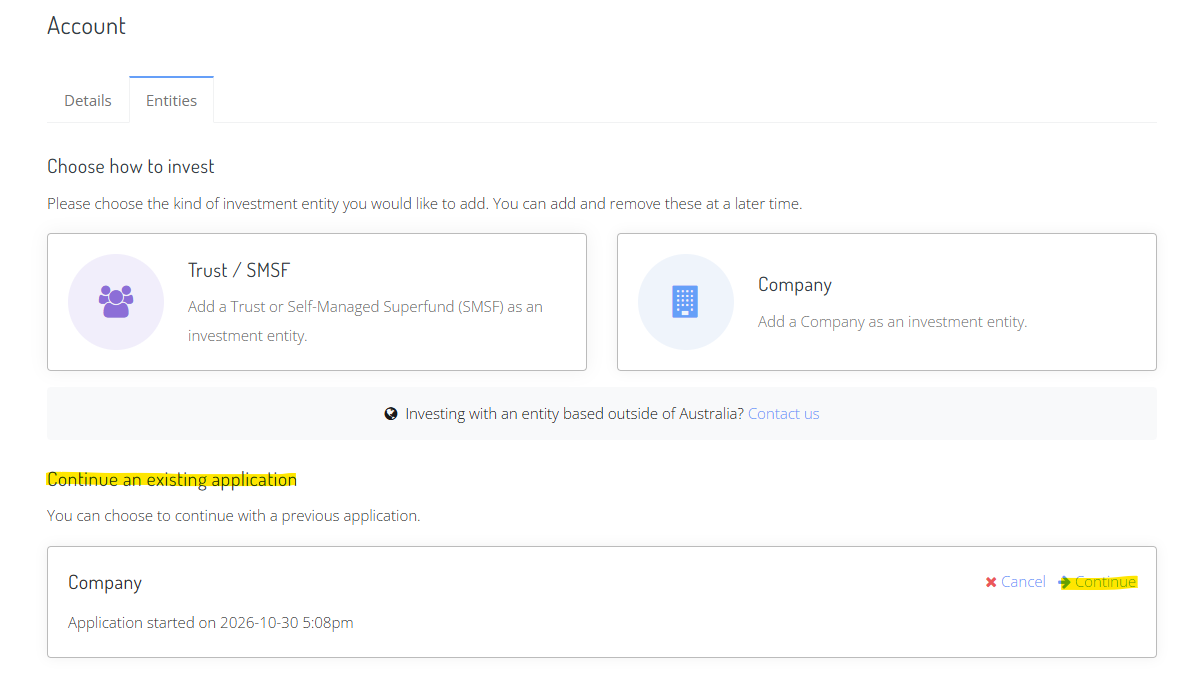
Under "Continue an existing application", click "Continue"
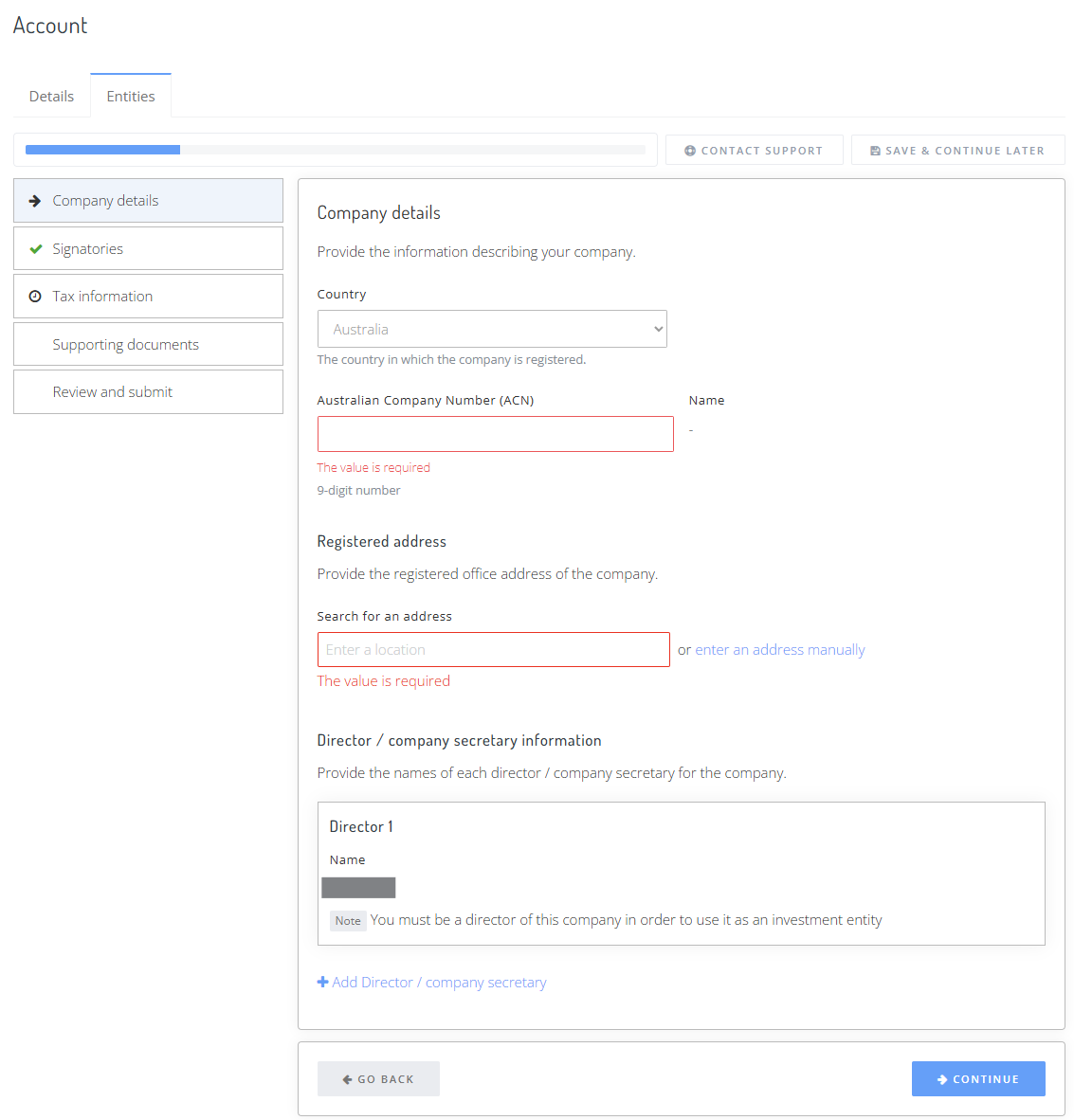
We have done our best to pre-fill all your investment entity information, however we ask that you please check and complete all relevant details.
Step 3: Link your Investment Entity to your Fund Manager
Once you have submitted your Investment Entity information, you will be invited to connect your Investment Entity to your Fund Manager.
Need Help?
If you are still running into trouble whilst setting up your account or have any questions then please contact us at support@gxe.com for assistance.